
Creating and Configuring a Custom Trading Strategy
Trading Rules
Creating and Configuring a Custom Trading Strategy
Learn how to build and save a new custom trading strategy using the Traders Tool Chest platform. This guide walks you through setting up scannable and manual rules to streamline your trading plan effectively.
Draft Strategy
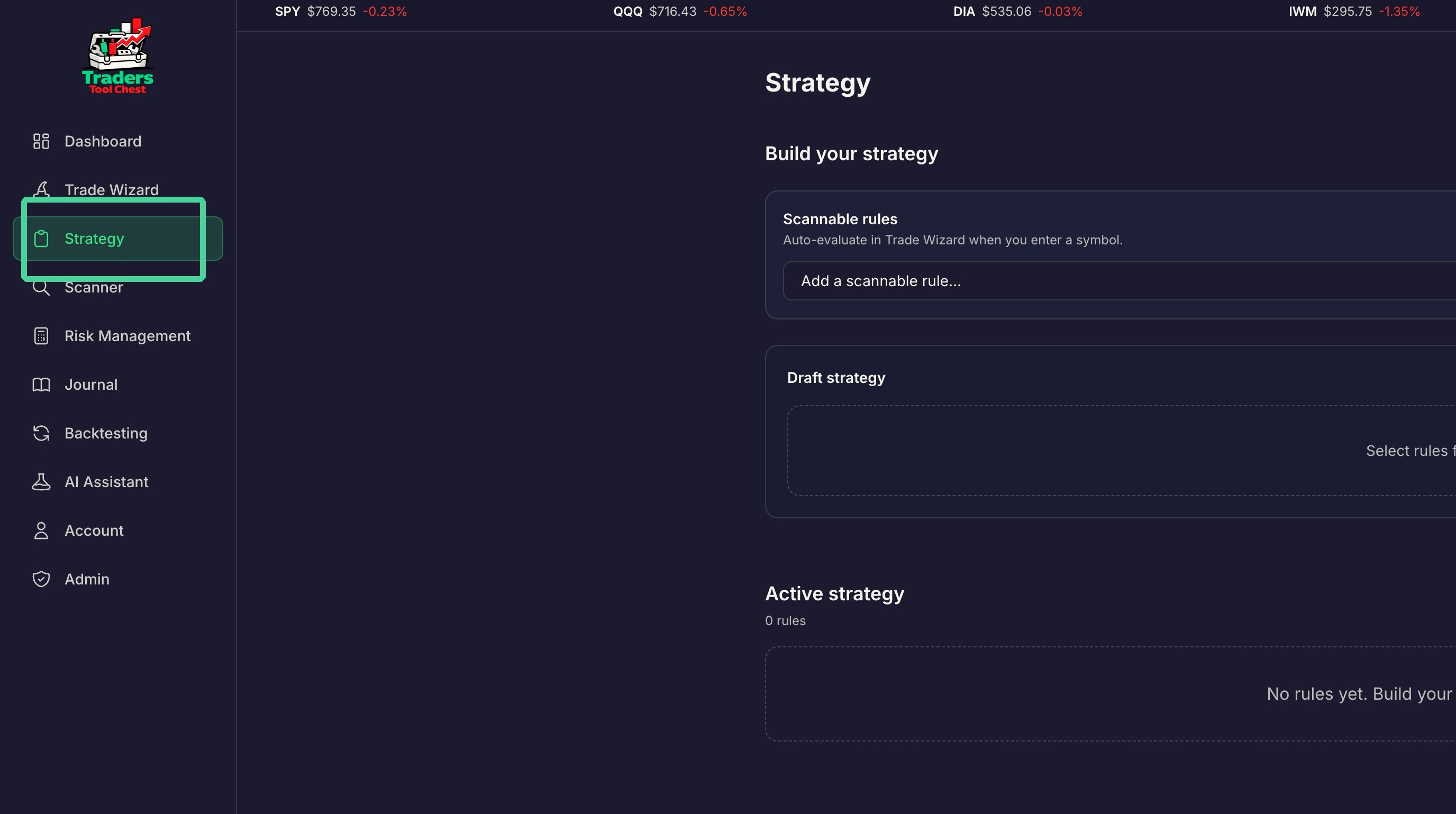
Click "Strategy"
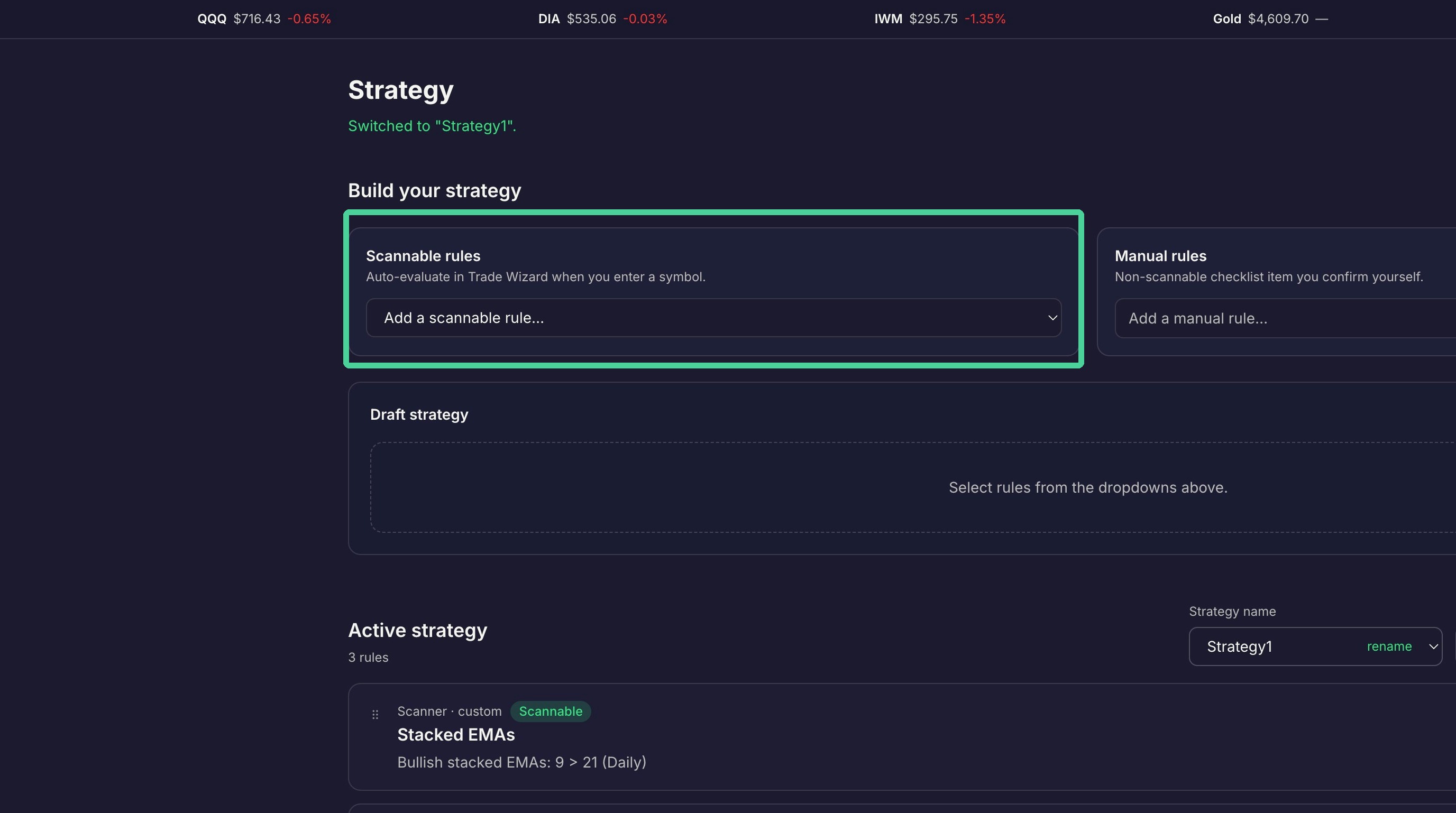
Scannable rules can be scanned for using the scanner tool . Select a rule from the dropdown.
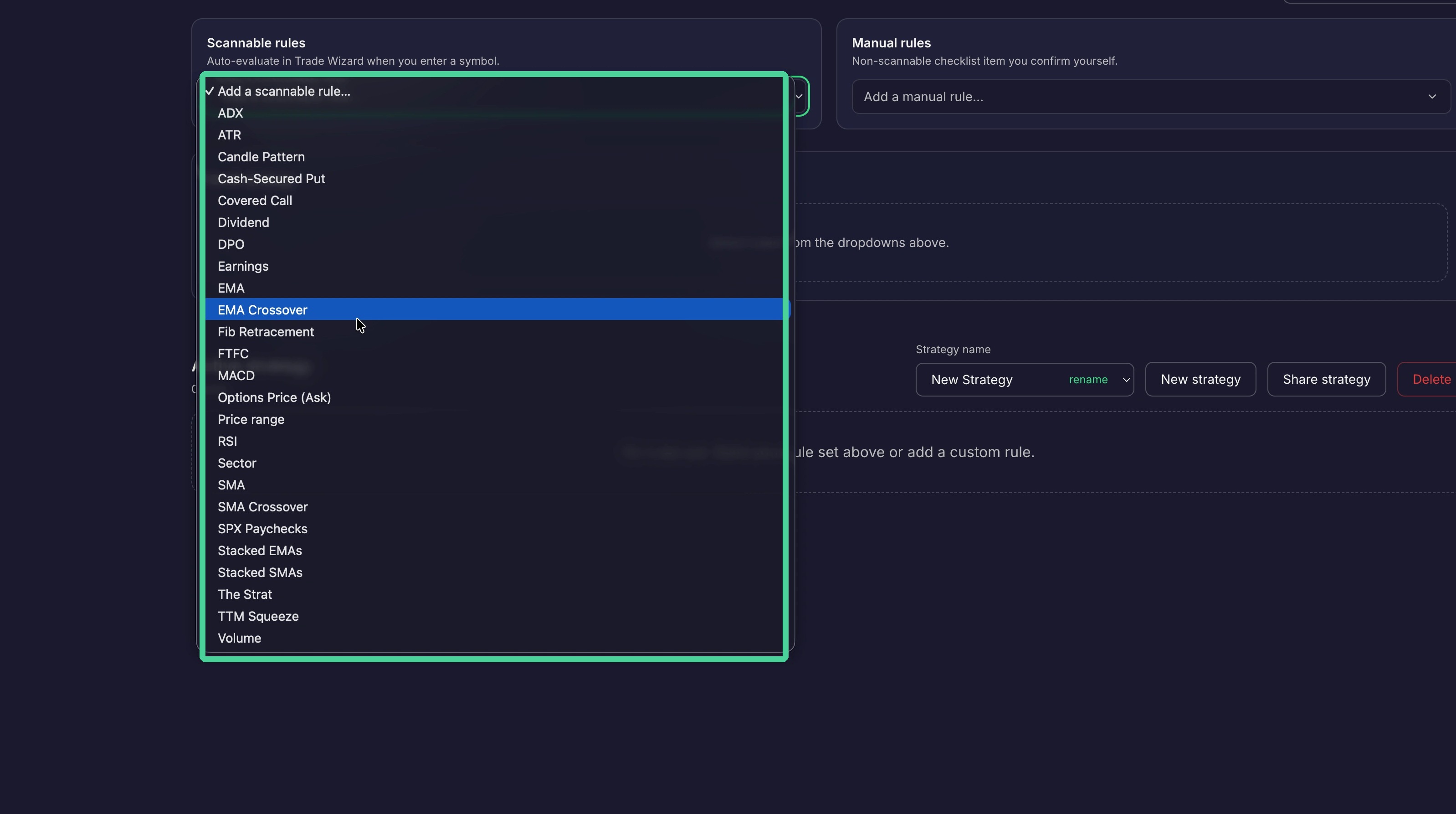
There are many scannable rules to choose from. Multiple scannable rules can be added to a strategy.
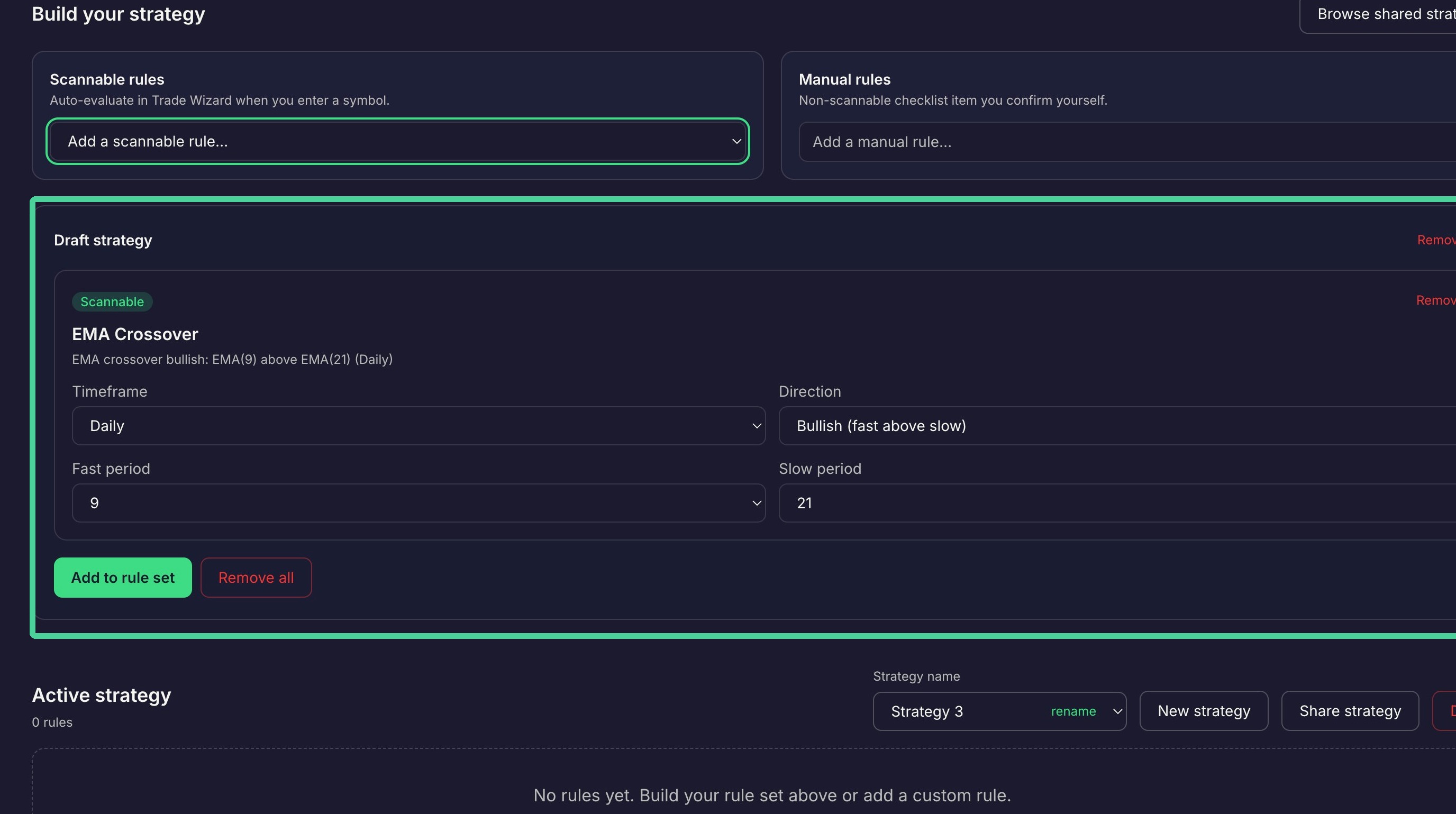
Once a rule is selected it will be added to the 'Draft Strategy'.
You can also add manual rules to a strategy. Manual rules are not scannable by the scanner.
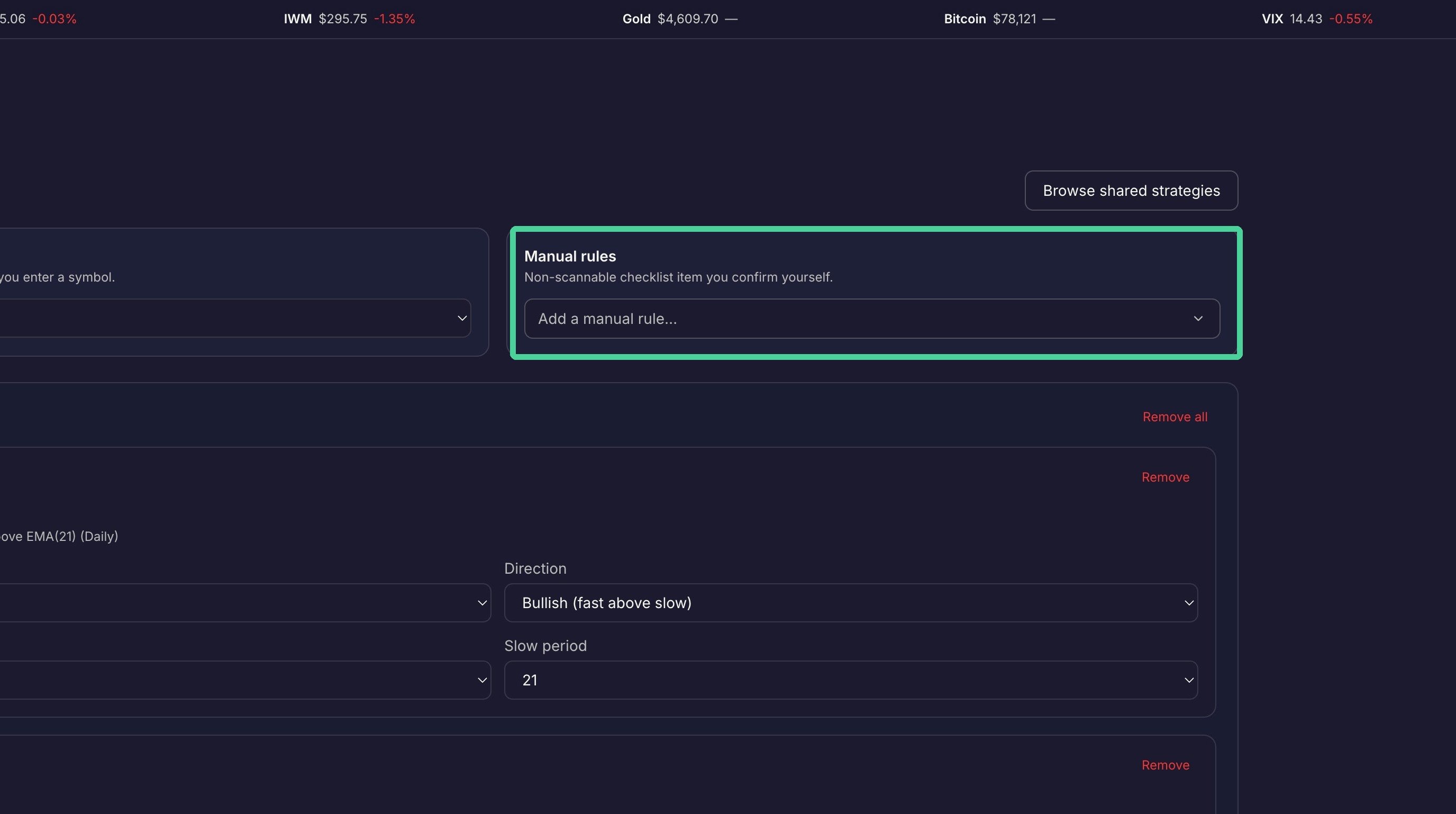
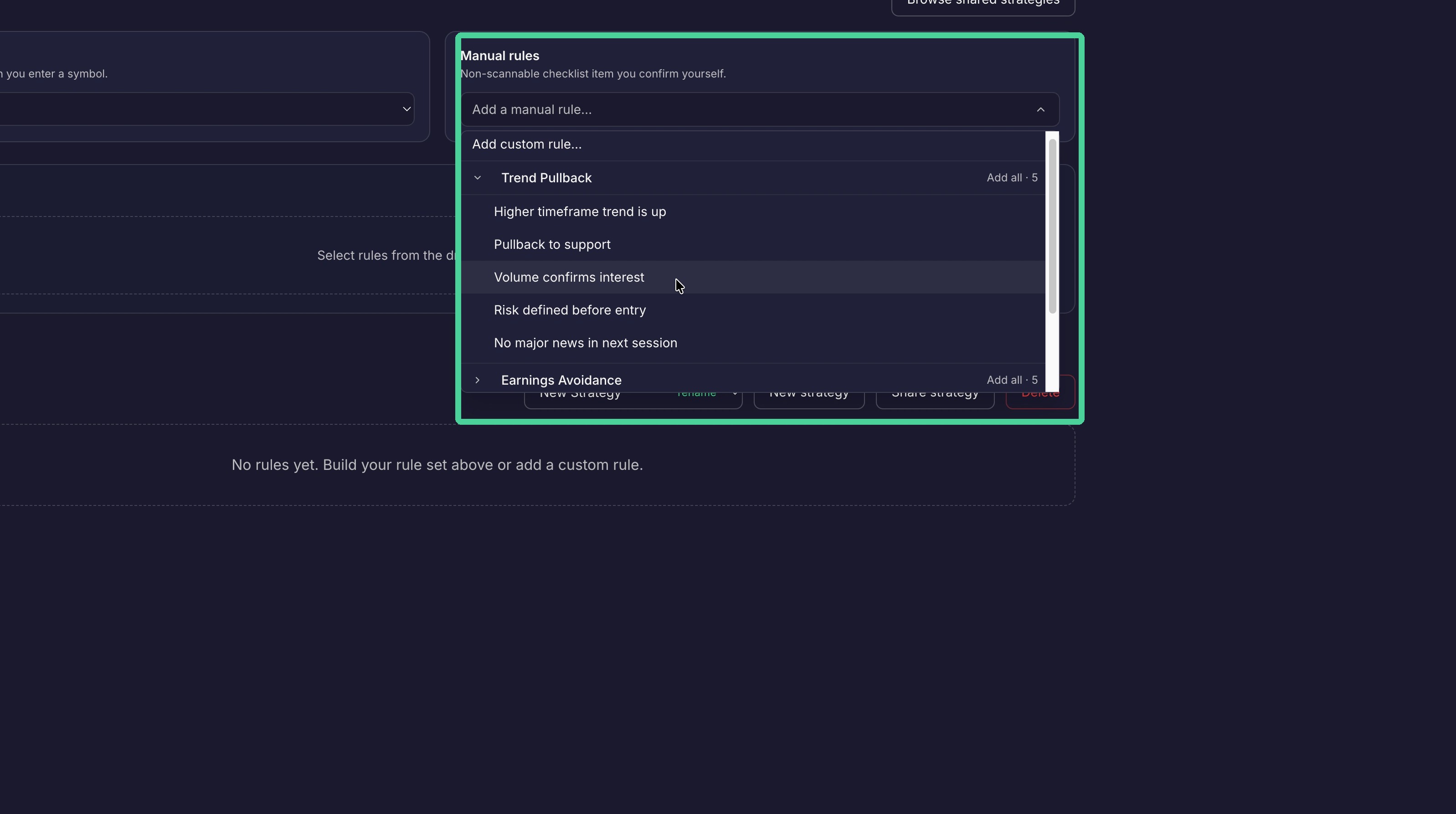
There are may manual rules to choose from. More than one can be added to a strategy. Select a manual rule from the dropdown to add it to the 'Draft strategy'.
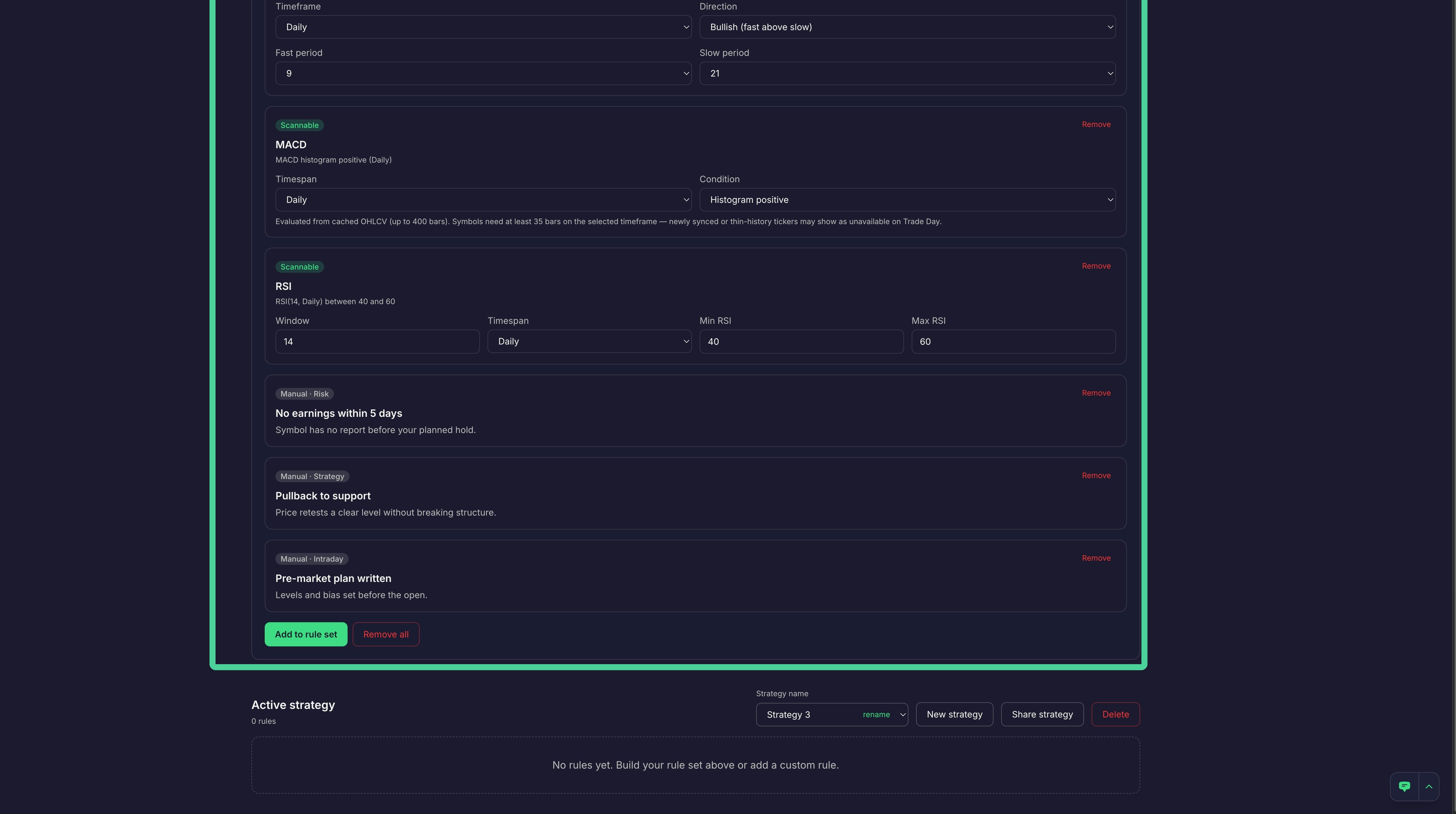
All the scannable and manual rules you selected will be listed under the 'Draft Strategy' section. Some rules will have editable parameters that you can set. To remove an individual rule click 'Remove'. To clear the 'Draft Strategy section and start over, Click "Remove all'.
Create Strategy
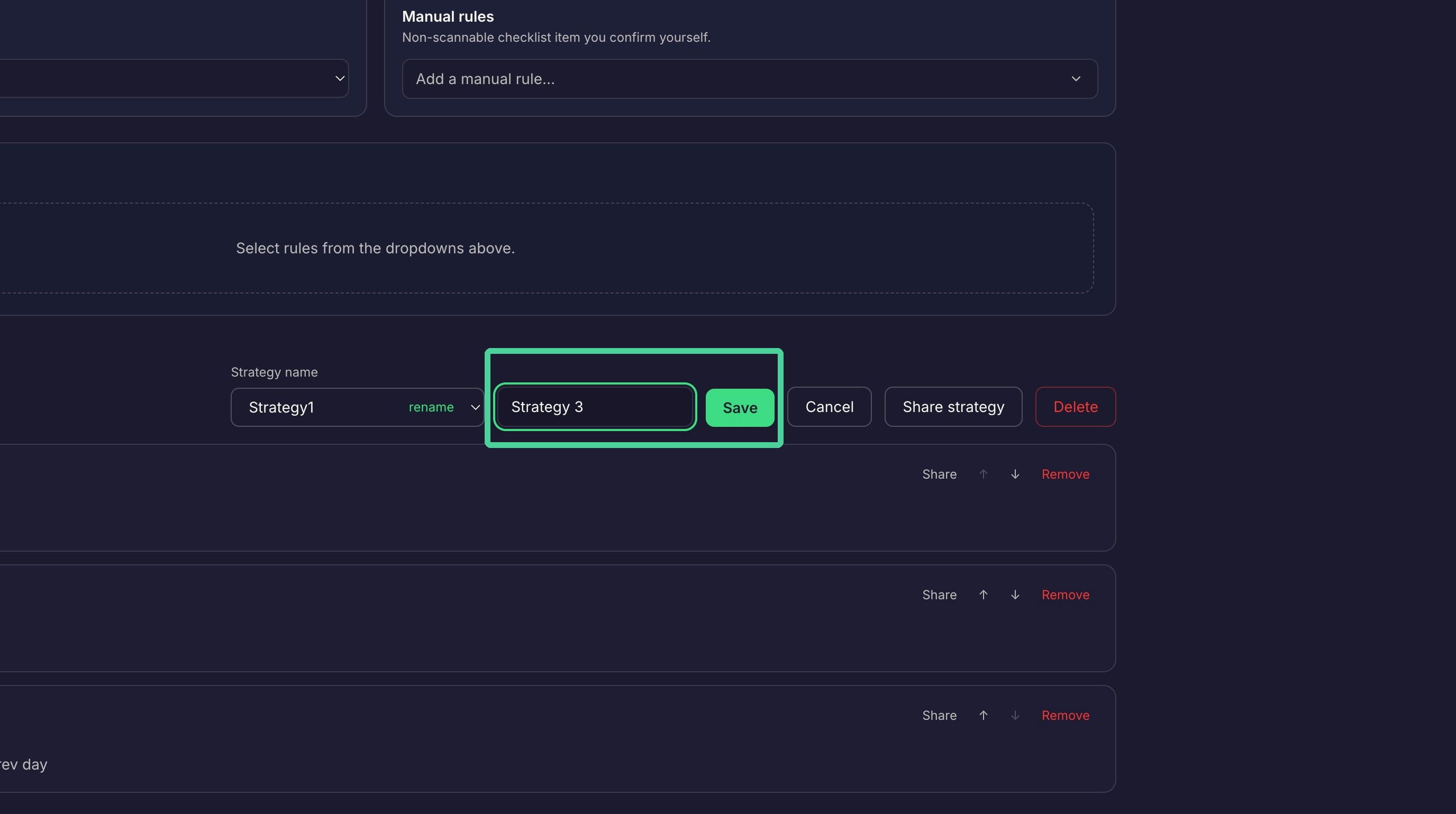
To create a new strategy from the draft strategy, ckick 'New Strategy'.
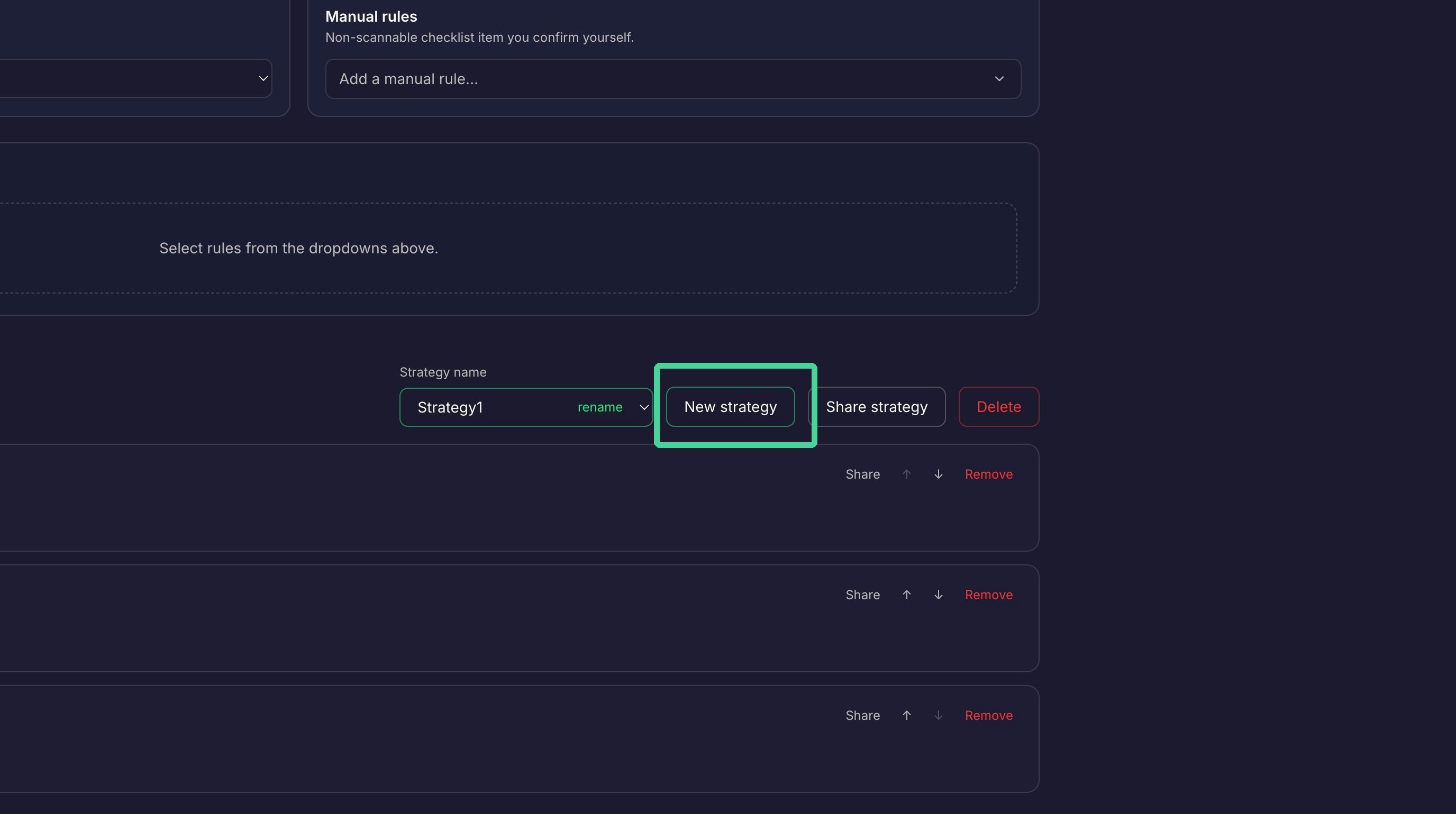
Enter a unique name for the strategy and click 'Save'.
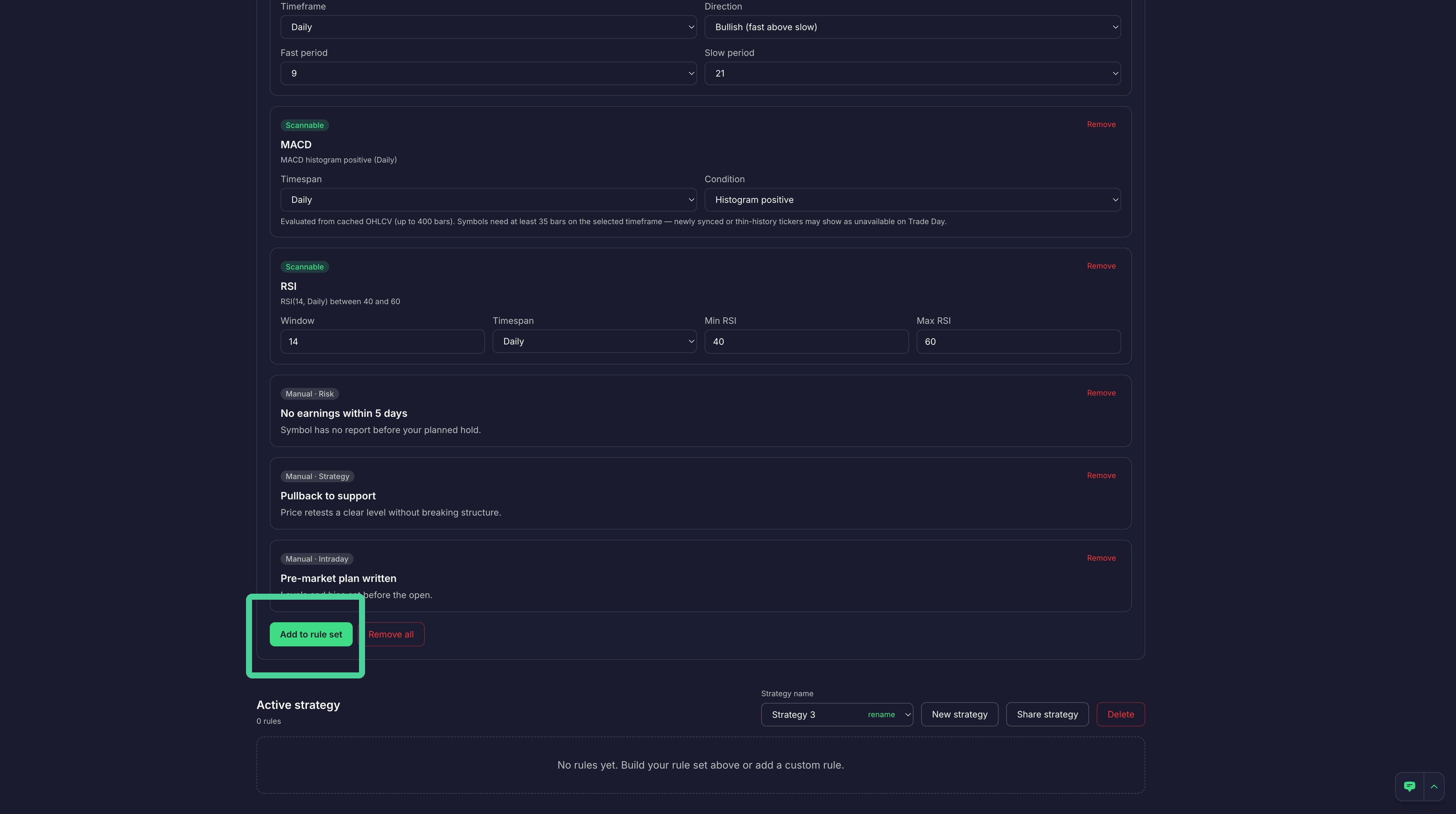
To add the rules from the draft strategy to the new strategy, click 'Add to rule set'.
Our newly created strategy is now active.
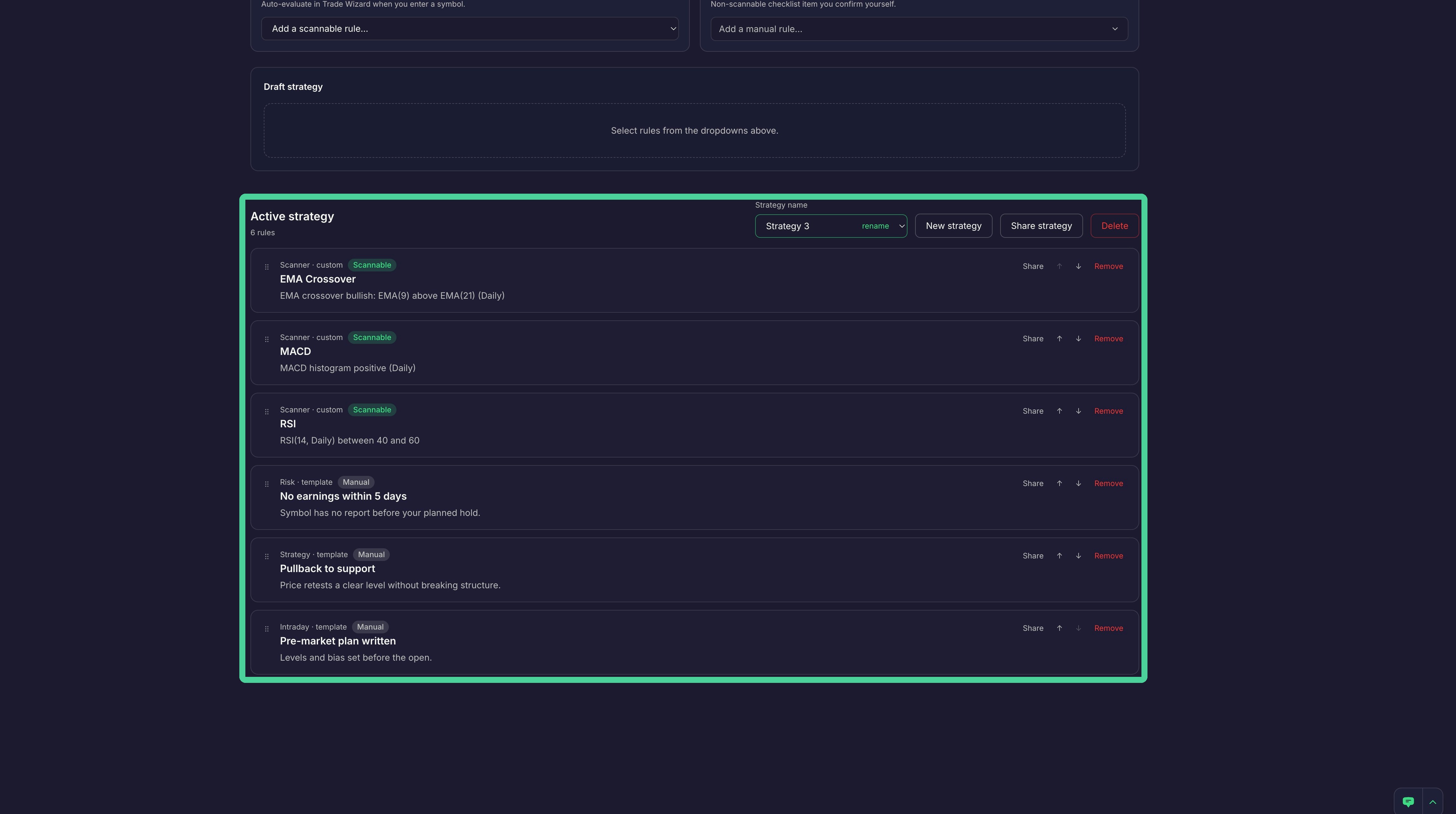
Configure Rules
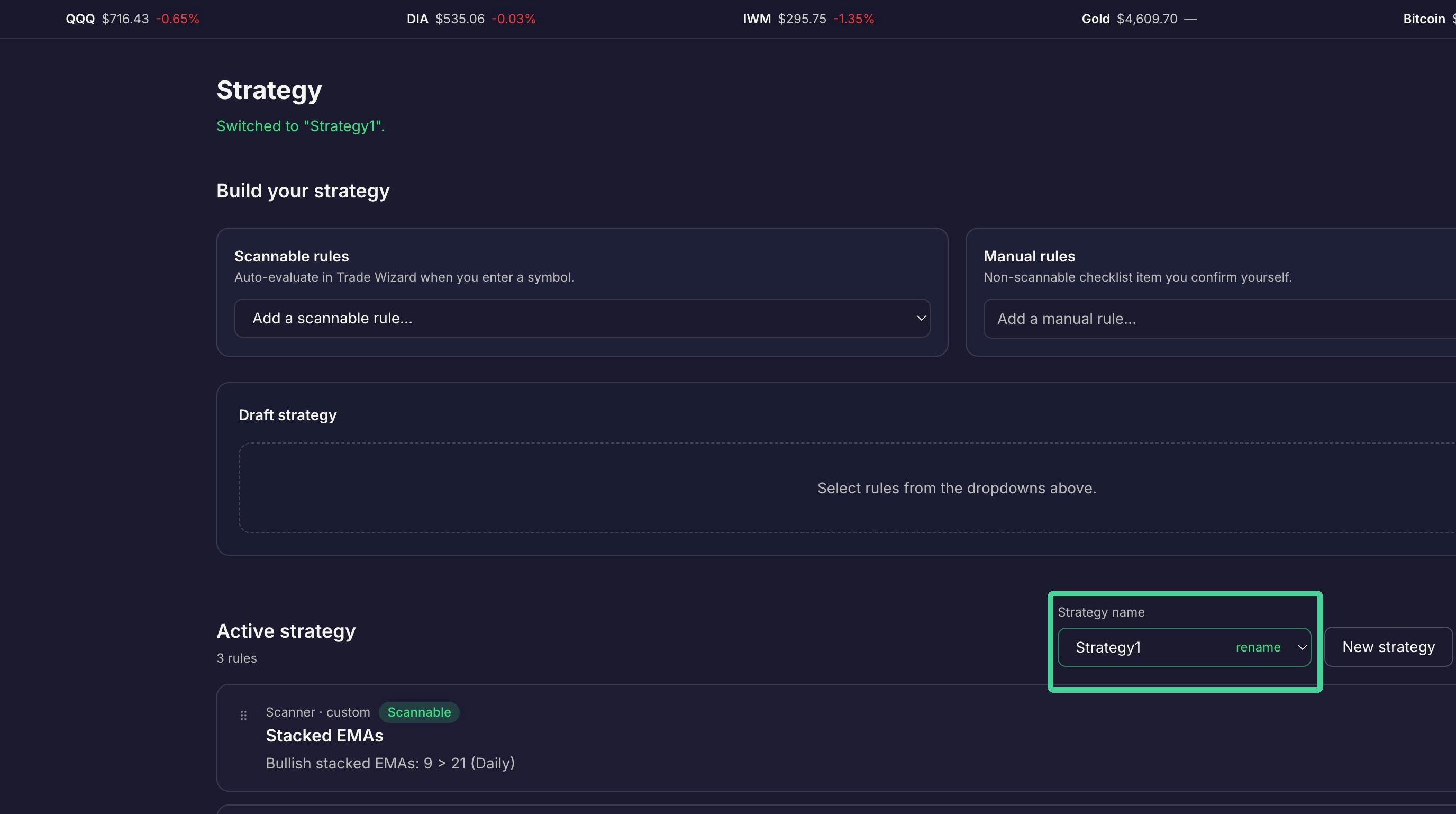
To change the active strategy to a different strategy, select it from the dropdown. You can also rename a strategy by clicking 'Rename' next to the name of the strategy.
Share Strategy
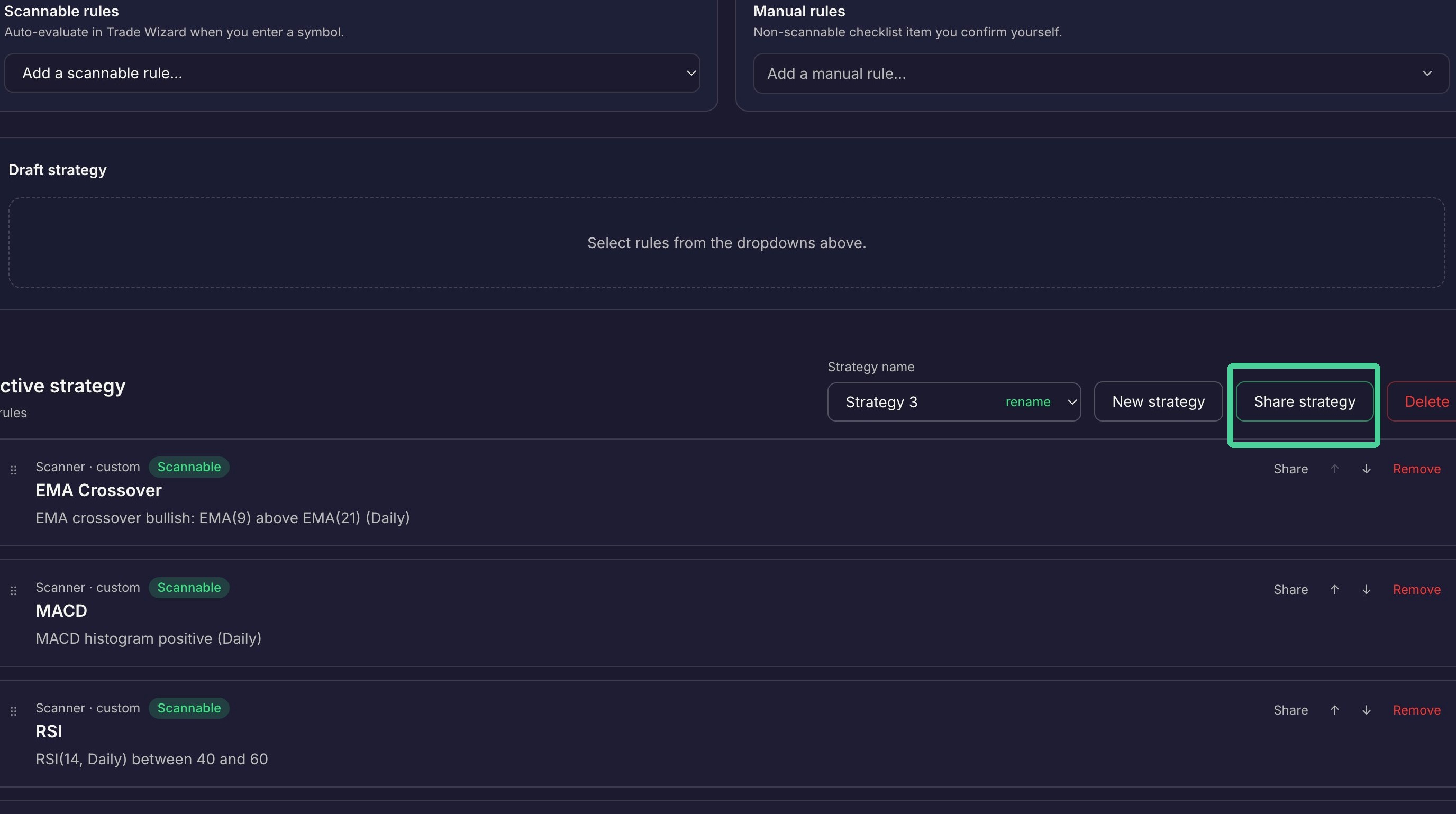
Strategies can be shared with other Traders Tool Chest users. To share a strategy click 'Share strategy'.
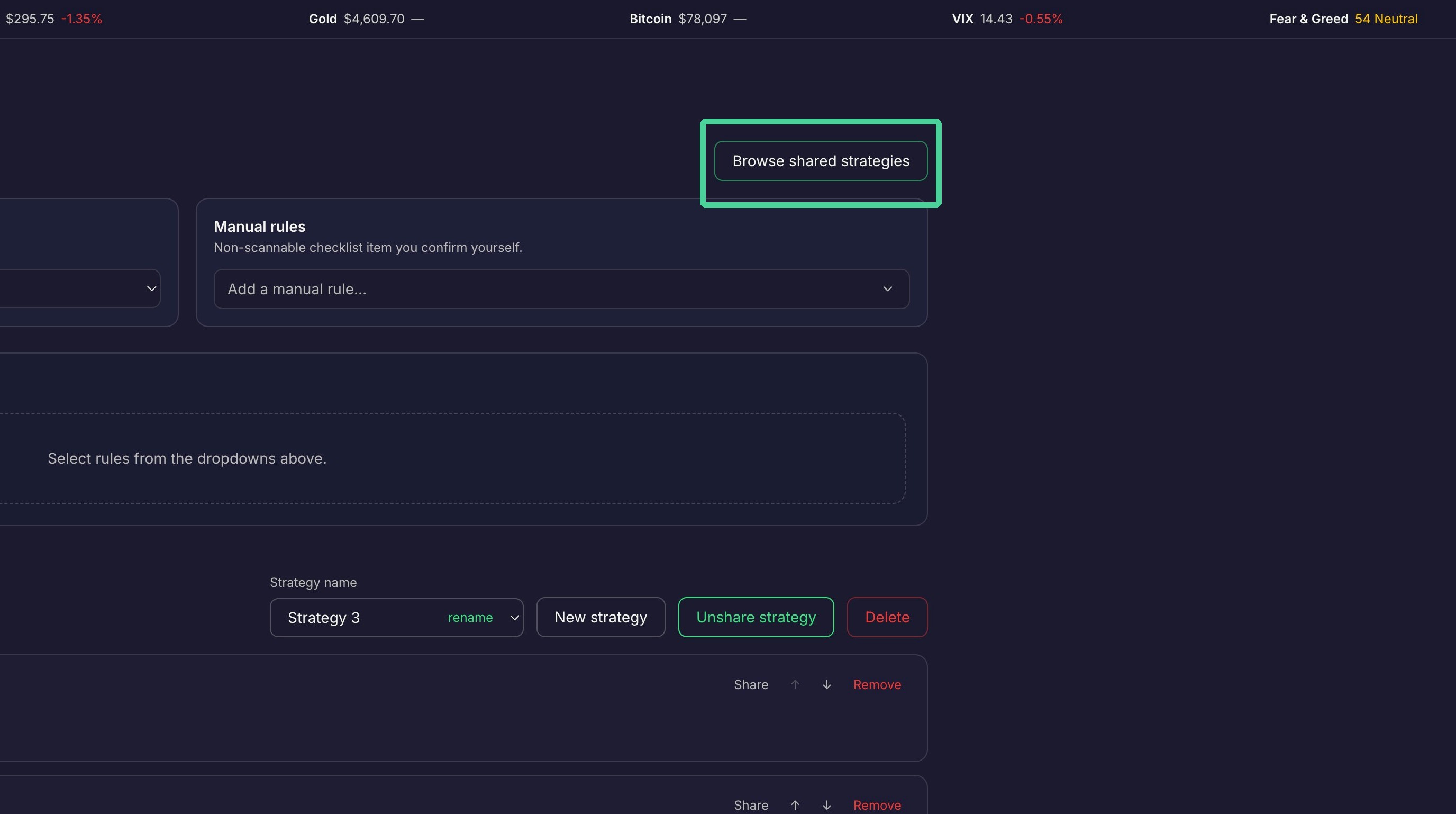
To view strategies shared by others, click 'Browse shared strategies'.
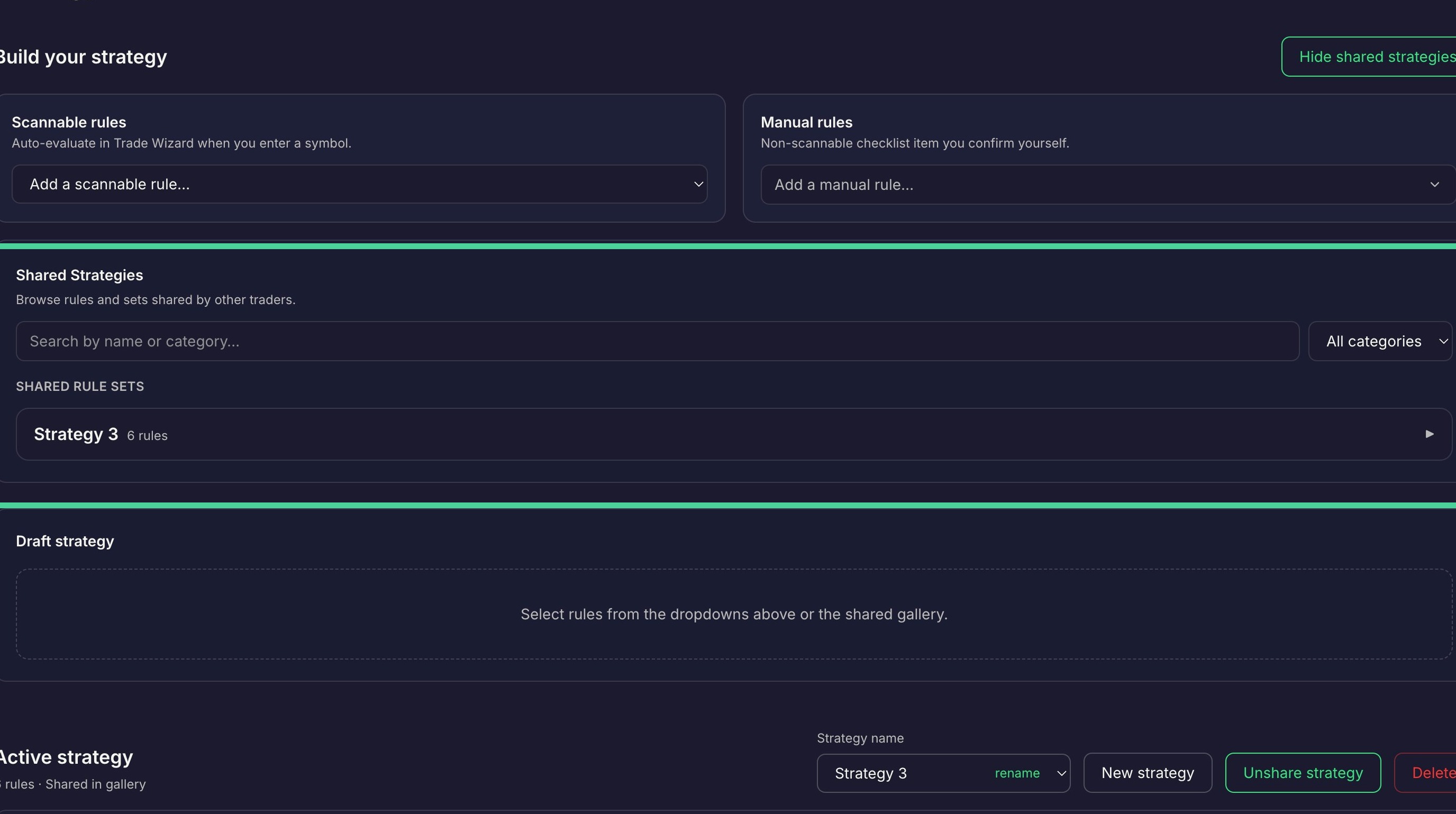
Here you can search for the strategy by name, filter by category, or select the strategy from the list of shared rule sets.
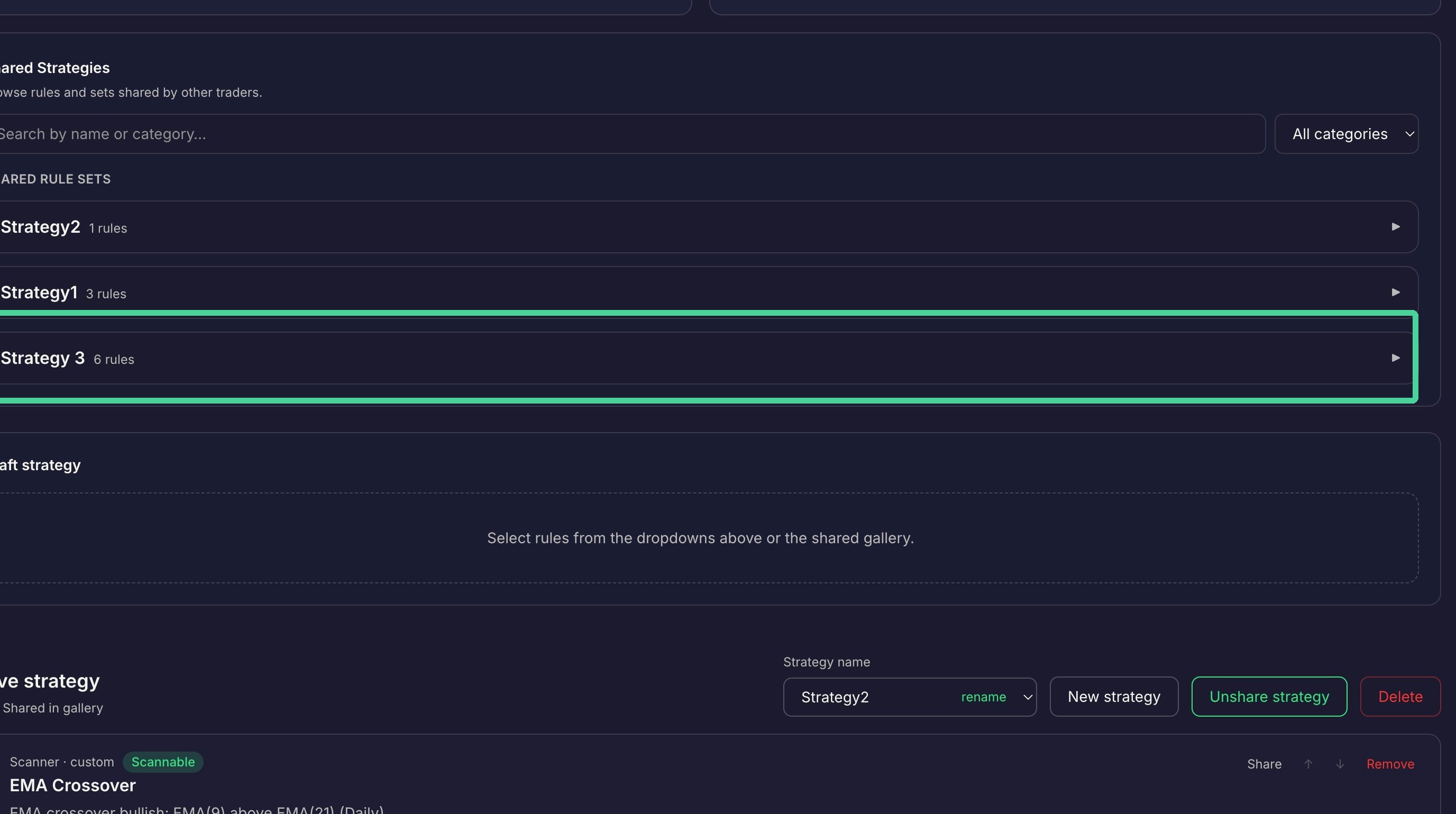
Select the rule set you are interested in and expand the rule set.
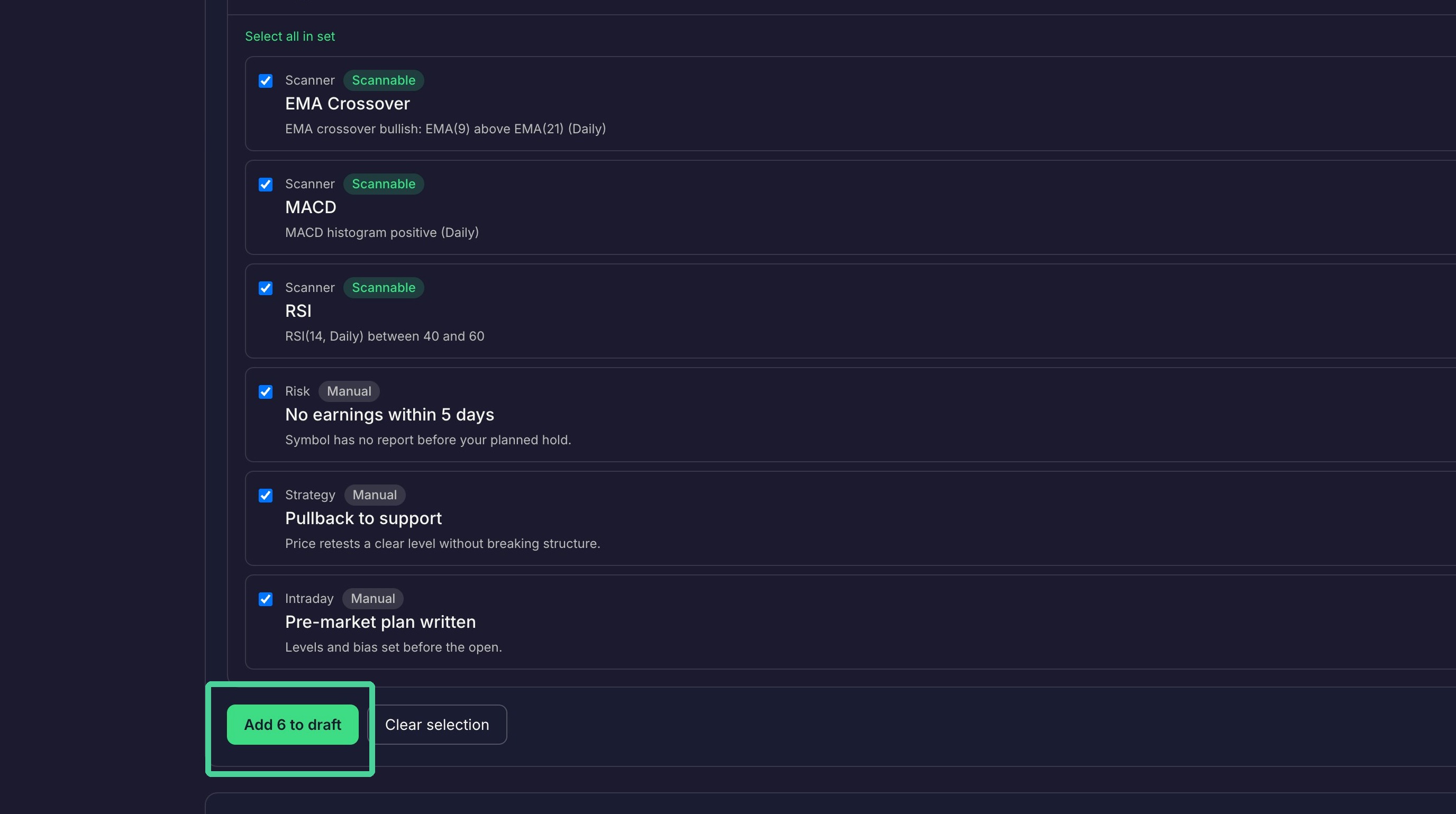
Click 'Select all in set' to select all the rules or select only the rules you want to add to your strategy.
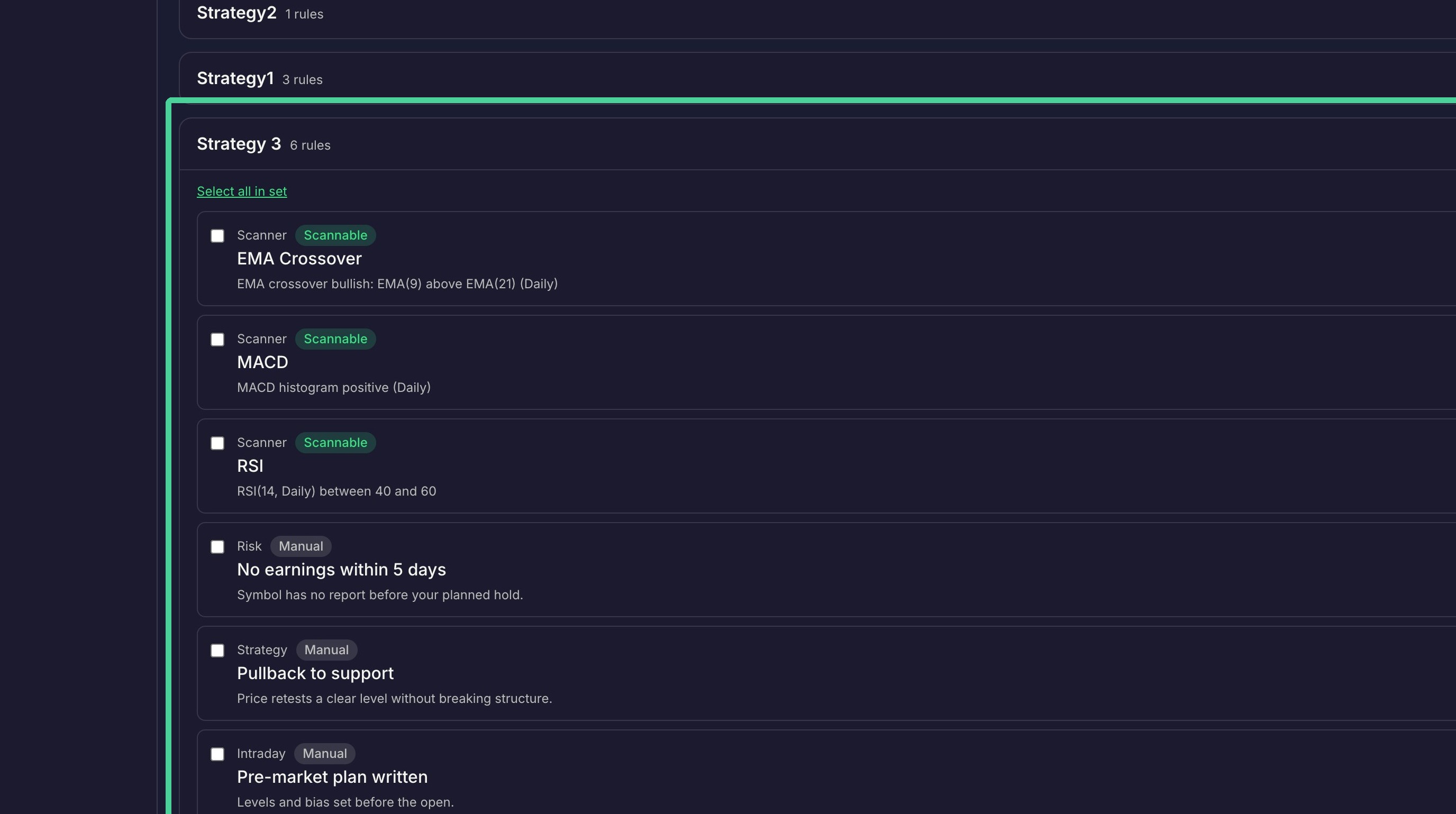
Once you have made your selections, click 'Add to draft' to add the selected rules to a draft strategy.
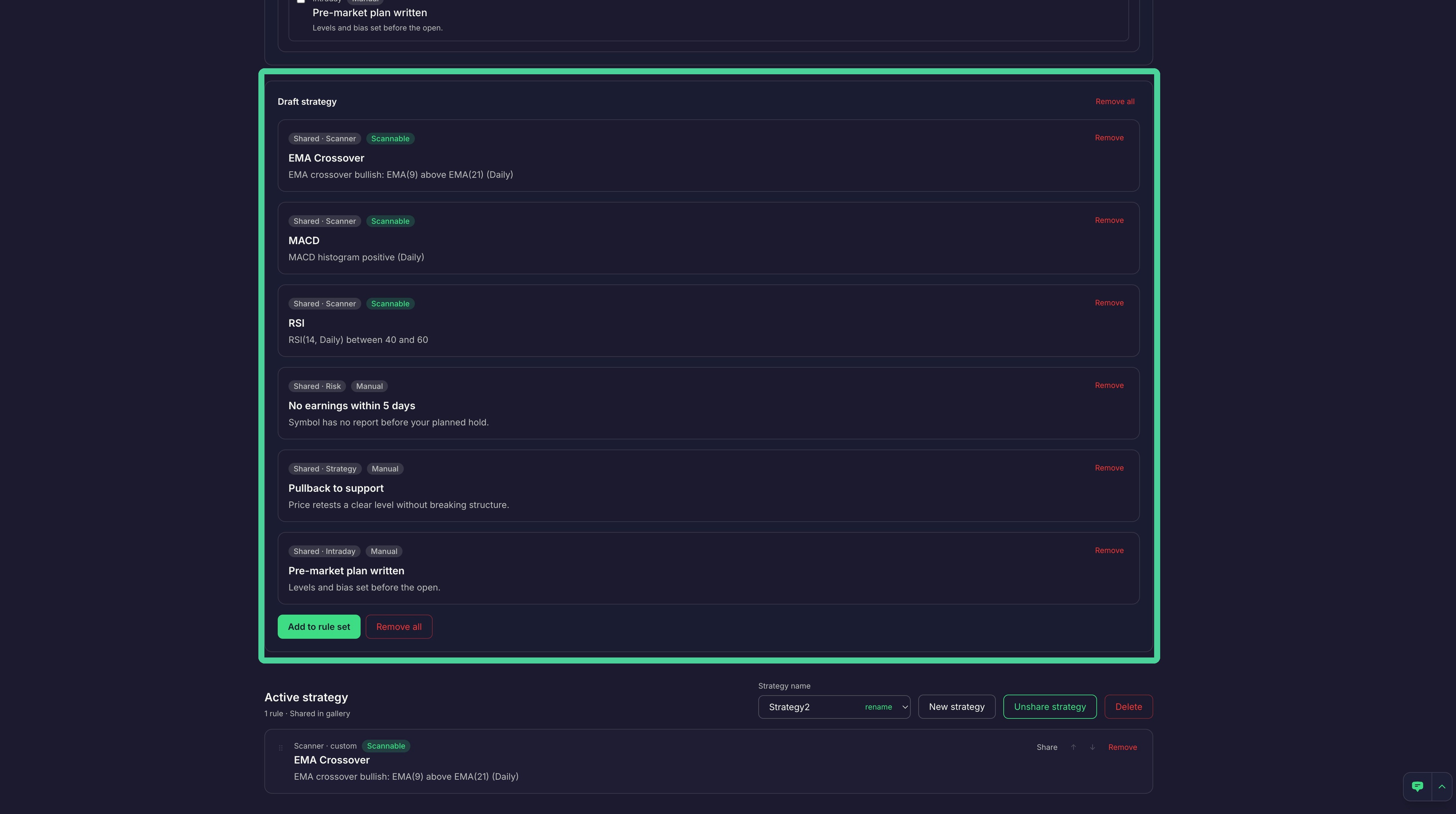
Once the shared rules are added to the draft strategy, the rules can then be saved to a strategy by clicking 'Add to rule set'.
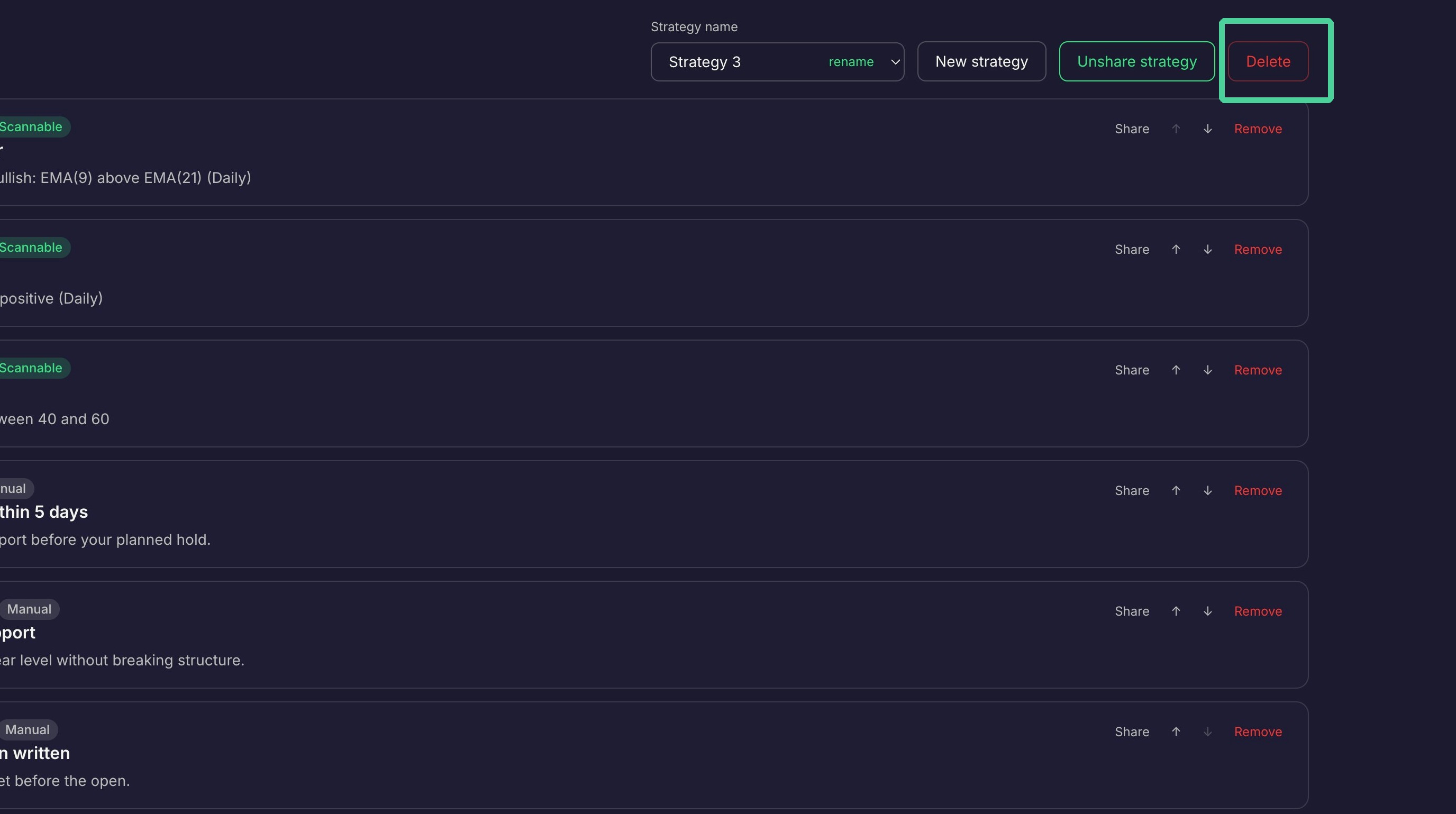
A shared strategy can be unshared by clicking 'Unshare Strategy'.
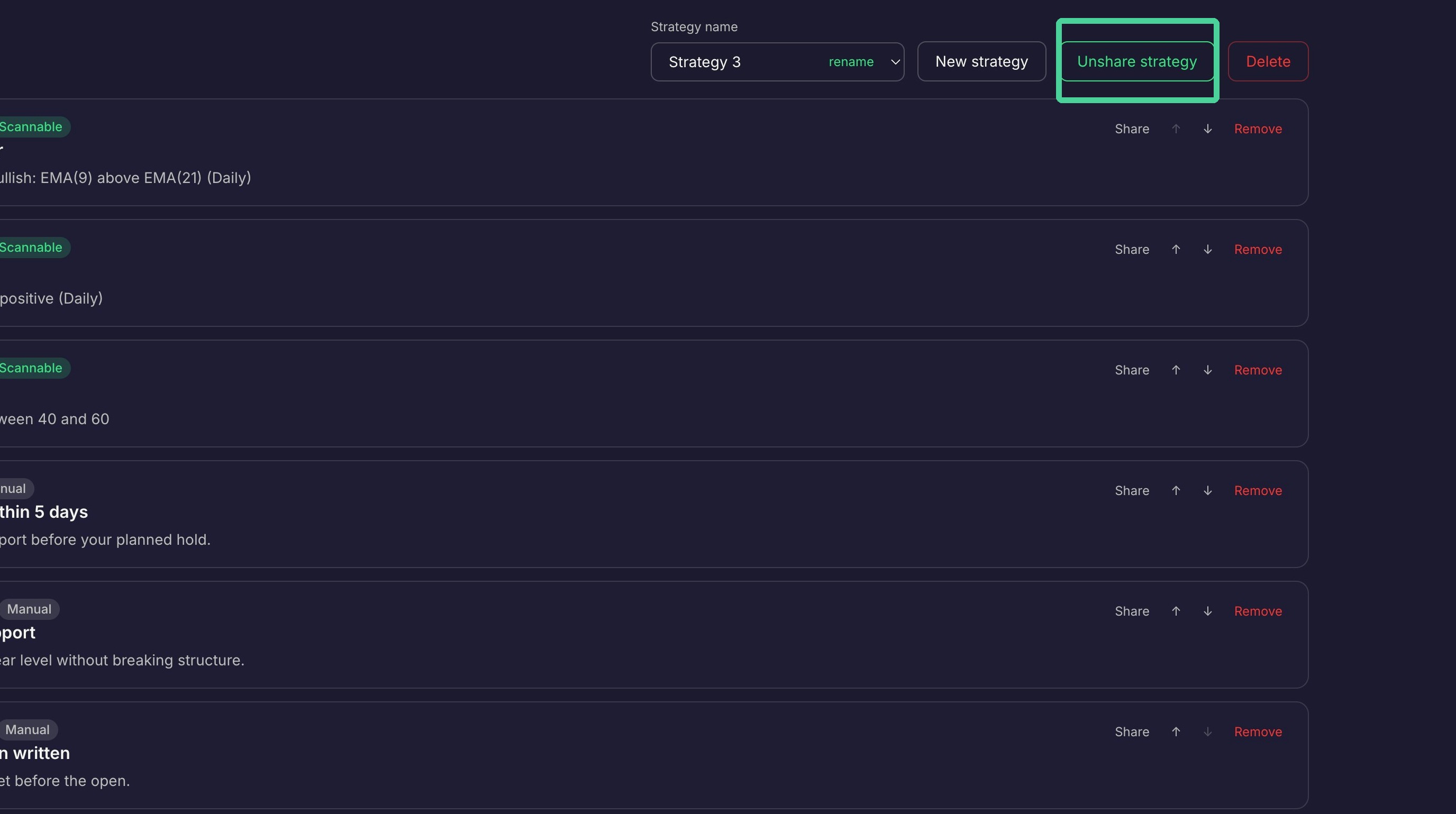
A strategy can be deleted by clicking 'Delete'.
Tools for traders — not investment advice. Market data is ~15 min delayed.